One click to export all your 1st-degree connections with Emails to CSV.
Get started - it's free






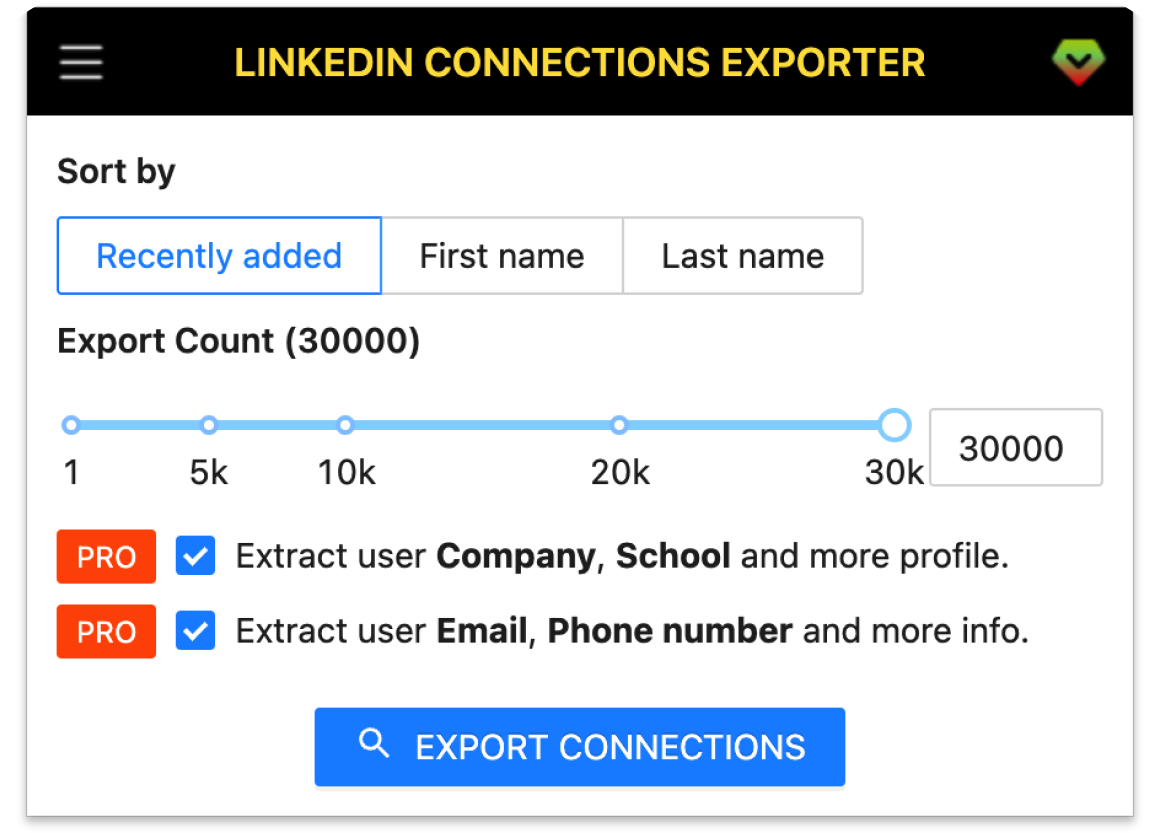
A smart tool to export your LinkedIn connections' profiles, Enrich email with Email Finder API, Save your entire contacts list to CSV.
Export your entire LinkedIn network with one click. No manual work required, just sit back and let the tool do the heavy lifting.
Export emails, phone numbers, and detailed profile information of your connections for seamless outreach.
Get company details, education history, job titles, locations, and more from each connection's profile.
Automatically enrich missing emails using top providers like Apollo.io, Hunter, Snov, and Datagma.
Save your data in CSV, Excel, or JSON format for easy integration with CRM and marketing tools.
Your data stays private. All processing happens locally in your browser with no data sent to external servers.
Get started in a few simple steps.
Download and install the extension.
Click the extension icon in your browser toolbar to launch the exporter.
Click the export button and watch as your connections are extracted. Download your data in CSV, Excel, or JSON format instantly.
How teams use LinkedIn Connections Exporter in their daily workflow.
Export your LinkedIn connections with emails and phone numbers to build a qualified prospect database. Perfect for sales teams who need to quickly scale outreach campaigns.
Build a comprehensive talent pool by exporting candidate profiles with contact details. Streamline your hiring process and maintain a ready-to-contact candidate database.
Create targeted email lists from your professional network. Export connections by industry, role, or location to run personalized marketing campaigns that convert.
Seamlessly transfer your LinkedIn network to Salesforce, HubSpot, or any CRM system. Export in CSV/Excel format and import directly—no manual data entry required.
Identify potential partners, investors, or collaborators in your network. Export detailed profiles to research and prioritize strategic business opportunities.
Protect your professional relationships by regularly backing up your LinkedIn connections. Never lose valuable contacts if your account is restricted or data is lost.
Fields included in exported datasets.
| Field | Description | Example |
|---|---|---|
| Public Identifier | Unique LinkedIn username | john-doe-12345678 |
| Profile Link | Direct URL to LinkedIn profile | linkedin.com/in/john-doe-12345678 |
| First Name | Contact's first name | John |
| Last Name | Contact's last name | Doe |
| Full Name | Complete name | John Doe |
| Headline | Professional headline | Senior Product Manager at Tech Corp |
| Picture URL | Profile photo URL | https://media.licdn.com/... |
| Company Name | Current company name | Tech Corp |
| Job Title | Current job position | Senior Product Manager |
| Employment Type | Type of employment | Full-time |
| Company Industry | Company's industry | Software Development |
| Company Location | Company location | San Francisco, CA |
| Job Date Range | Employment period | Jan 2020 - Present |
| Company Employee Count | Size of company | 501-1000 |
| Company ID | LinkedIn company ID | 1234567 |
| Company Universal Name | Company username | techcorp |
| Company URL | Company LinkedIn page | linkedin.com/company/techcorp |
| School Name | Educational institution | Stanford University |
| Degree Name | Academic degree | Bachelor of Science |
| Field Of Study | Major or field | Computer Science |
| Education Date | Years attended | 2012 - 2016 |
| Industry Name | Professional industry | Technology |
| Summary | Profile bio/about section | Experienced PM with 10+ years... |
| Skills | Listed skills | Product Management, Agile, SQL |
| Certifications | Professional certifications | PMP, AWS Certified |
| Projects | Featured projects | Launched mobile app with 1M users |
| GEO Location Name | Full location | San Francisco Bay Area |
| GEO Country Name | Country | United States |
| Prefer Country Code | Country code preference | US |
| Prefer Language Code | Language preference | en |
| Birth Date | Date of birth | January 15 |
| Is Creator | LinkedIn Creator mode | true |
| Is Influencer | Influencer status | false |
| Is Premium | Premium member status | true |
Where you can get answers to common questions about LinkedIn Connections Exporter
You don’t have to take our word for it
This tool saved me weeks of manual work! I exported 2,000+ connections with emails in under an hour and imported them straight into Salesforce. Our outreach campaigns are now 3x faster. Absolutely worth it for any sales team.
Sarah Chen
Sales Director at TechFlow
As a recruiter, having a backup of all my candidates' contact info is crucial. This extension gave me a comprehensive database with phone numbers, emails, and current companies. The email enrichment feature is a game-changer!
Marcus Johnson
Recruitment Lead
I use this to segment my LinkedIn network by industry and role for targeted campaigns. The export includes everything I need—location, company size, job titles. ROI was immediate. Highly recommend for any marketer!
Emily Rodriguez
Marketing Manager
Lost access to my LinkedIn account once and nearly lost 5 years of networking. Now I backup my connections monthly. The peace of mind alone is worth it. Plus, finding potential investors in my network became so much easier.
David Kim
Startup Founder
The ability to export to Excel and filter by company, location, and industry transformed how we identify partnership opportunities. What used to take days now takes minutes. This tool pays for itself instantly.
Lisa Thompson
Business Development
Simple, fast, and exactly what I needed. Exported all my clients and prospects with their details for my CRM. The interface is intuitive and the export quality is perfect. Best $6.99 I've spent on a tool this year.
Ahmed Hassan
Freelance Consultant
Start exporting your connections with emails, phone numbers, and full profiles. Get instant access to your network data in minutes, not days.
All Pro plans include a 7-day money-back guarantee. No questions asked.